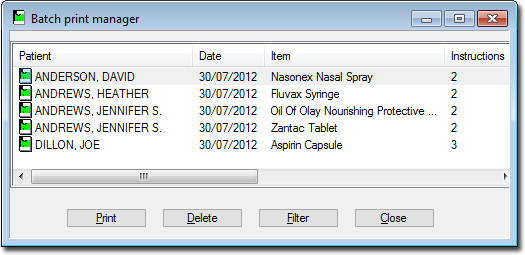
The Batch Print Manager appears, listing all stored prescription items.
Click Print to print the complete batch of
prescriptions. Once printed, the prescription is remove from the batch list and
a record of the script is added to the patient's medication list.
Click Delete to delete a prescription from the list.
This will not be added to the patient's record.
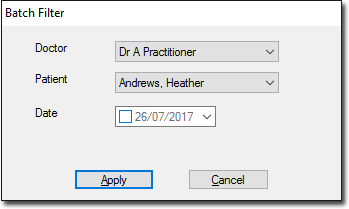
Click Filter to filter the list of prescriptions by
practitioner, patient or date as indicated in the following image. Select the
appropriate filter parameters and click Apply The Batch
Print Manager list changes to display only the matching prescriptions.