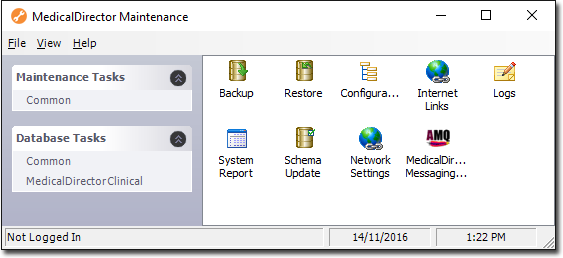
Set up Pracsoft, manage configuration, user records, back ups and other maintenance.
Use update, backup and restore and other maintenance utilities to manage MedicalDirector Clinical .
After installing Pracsoft , or if you renew your Service-Level Agreement (SLA) with MedicalDirector, you will be required to enter your licence details.
If your MedicalDirector Pracsoft licence subscription lapses, your Pracsoft database goes into read-only mode.
Thre are two types of user in Pracsoft: User and Practitioner.
Link MedicalDirector Pracsoft with Clinical to enable patient demographic updates and immunisation data to be transferred between them.
Automatically download incremental updates for ClinicalPracsoft .
Use the MedicalDirector Backup and Restore utilities to back up and restore Clinical and Pracsoft.
Your practice is responsible for protecting its own data files. If this process fails, your financial and clinical records can be lost.
View application logs.
Record proxy server settings so Clinical and Pracsoft components can use the proxy server to access the Internet.
The schema is essentially a set of instructions your database uses in order to manage data.
Manage database configurations.
Print or email a system report.
Minimum requirements for computers on which Clinical or Pracsoft is installed.
PKI certificates are required by many businesses for maintaining access to digital health tools including electronic prescribing and My Health Record.
Configure your system to support communication by MedicalDirector software.
Convert a computer to a different role.
MedicalDirector Mobility is a utility for downloading patient records to a mobile computer, allowing you to work with them off-site.
Determine the locations where SQL, MedicalDirector Clinical, MedicalDirector Pracsoft , and ManageEzy were installed.