
Payment Types Tab (Global Settings)
Define the ways of making payments for accounts and visits.
Use the Payment Types tab of Global Settings to enable and configure the ways of making payments for accounts and visits.
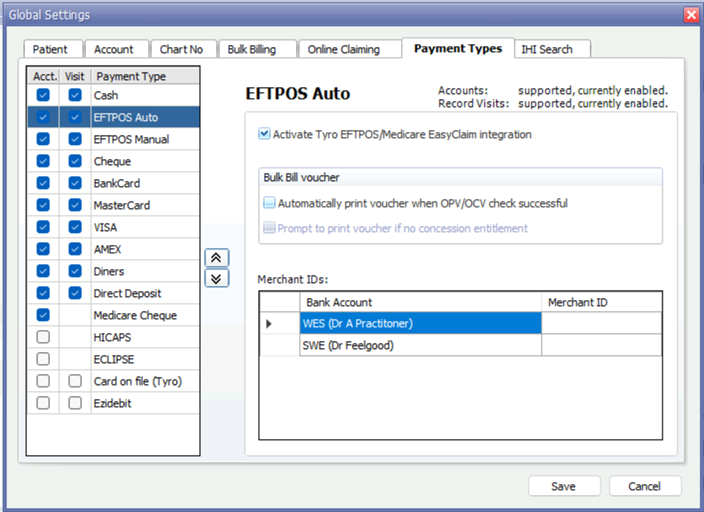
| Items of interest on this window | |
| Acct column | Set Acct to make the payment type available in accounts and receipts. |
| Visit column | Set Visit to make the payment type available in the Record Visit window. |
| Payment Type | Select a payment type to display the additional settings specific to that payment type, for example, to connect to a third-party EFTPOS system. Configure the settings as appropriate for your practice. |
 |
Click the Up Arrow and Down Arrow buttons to change the order in which payment types appear in the Record Visit window. |