
Security Levels
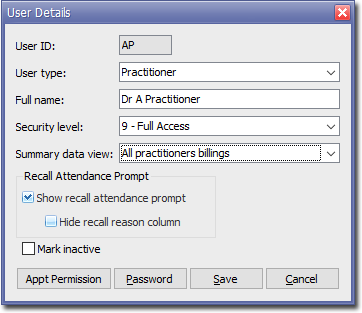
Every MedicalDirector Clinical or Pracsoft user (practitioner or otherwise) must have a security level assigned to them, and at least one user must have full access.
Before enabling security, you must have at least one user with Full Access (level 9) security access.
There are 9 security levels ranging from Read Only to
Unlimited Access.
| Level | Summary | Description |
|---|---|---|
| 1 | Read Only | View patients and their details. Users are not able to add or edit anything. |
| 2 | Billing Receipting | Add and edit patients, and produce accounts and receipts. This level is suitable for the general front desk staff. No summary information is available in this level. |
| 3 | Batching/Daily Reports/Basic Adjustments | Access everything in level 2 plus the Practitioners' Daysheet Report and have the ability to batch bulk claims and add adjustments to accounts. |
| 4 | Banking | Use everything in level 3, plus Banking. |
| 5 | Quick Adjustments/ Toggle Non-patient | Use everything in level 4, plus the ability to change the non-patient status of a visit (in the Visits tab) and to adjust the Practitioner seen through the Visits tab (when this becomes available). |
| 6 | Add/Edit Practitioners/ Workstation & Global Settings | Use everything in level 5, plus add or edit Practitioner's and change Global Settings. |
| 7 | Reports | Use everything in level 6, plus run all Reports. |
| 8 | Reserved | N/A |
| 9 | Full Access | Unlimited access to all functionality, including set up functionality (via Global Settings). |