
Set Up Payment Types
Set up payment types and make them available for use with accounts and visits.
Procedure
-
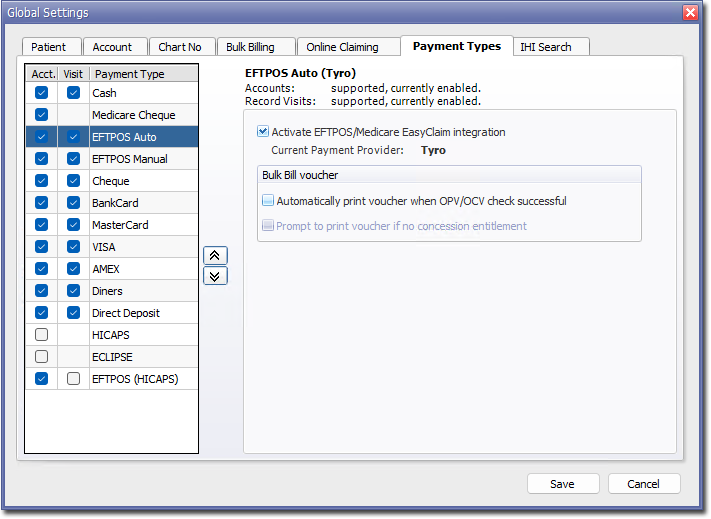
Some payment types have additional settings, for example, to connect to a
third-party EFTPOS system. Select a payment type to display the additional
settings. Configure the settings as appropriate for your practice, for
example:
-
To change the order in which these payment types appear in the Record
Visit window, click the
 buttons.