
Selecting a Patient's Next-of-Kin
Add the patient's next-of-kin to their record.
Procedure
To select a patient's next-of-kin:
- Locate the patient whose record you want to edit.
-
Within the Select Patient window, select the patient and then click EditThe Edit Patient Details window appears.
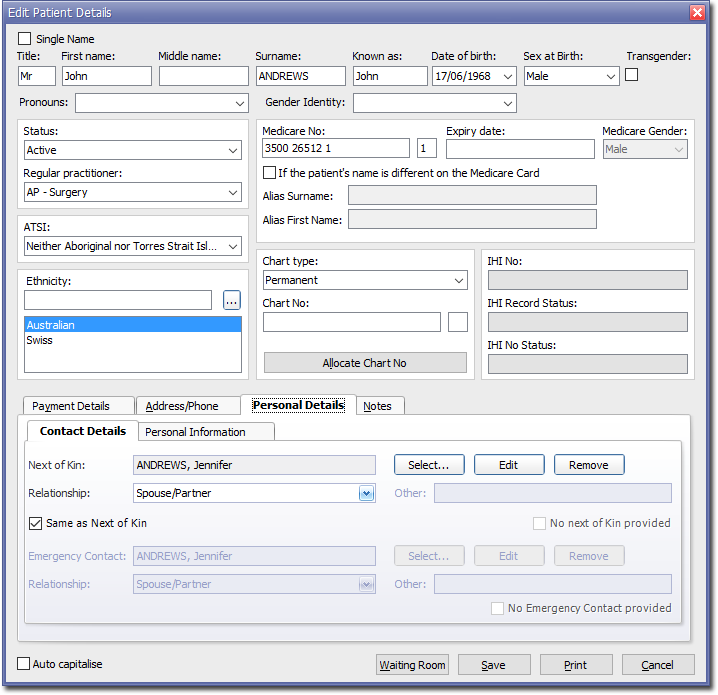
- Select the Personal Details tab, and then Contact Details tab.
-
Within the Contact Details section, click Select to select the Next of Kin. The Select Next of Kin for... window appears.
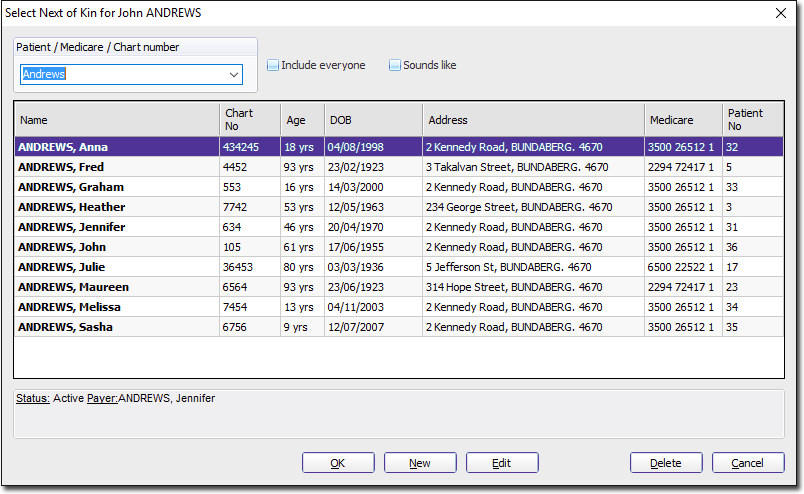
- Select another patient to be the next-of-kin.
- Select the type of relationship from the Relationship drop-down menu. You can also free-type an entry here.
- Click Save to confirm the changes.