To Generate an Arrears Detail - Private Account (Patient Claims) Report
Before you begin
Procedure
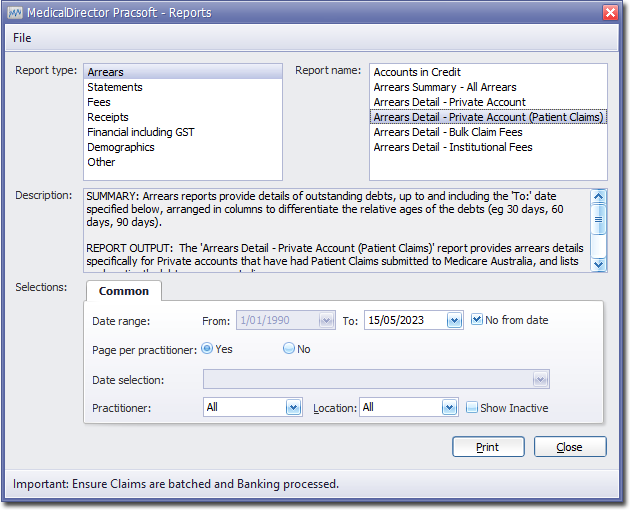
Select Reports > All Reports. The Pracsoft Reports window appears.
Within the Report Type section, select Arrears.
Within the Report > Name section, select Arrears Detail - Private Account (Patient Claims).
Select the Common tab:
Indicate whether you want to specify a 'From' date, by ticking/un-ticking the associated check box. If you chose to specify a From date, enter the date now.
Enter a 'To' date.
Indicate whether results for each practitioner will be printed on separate pages.
Indicate which practitioner/s and location/s you want to limit the report to.