Patient Appointment Schedules
Check a patient's recorded appointment schedule.
Procedure
-
To open the Appointment module, either:
- Click
 Appointment
Book.
Appointment
Book. - Select .
- Click
-
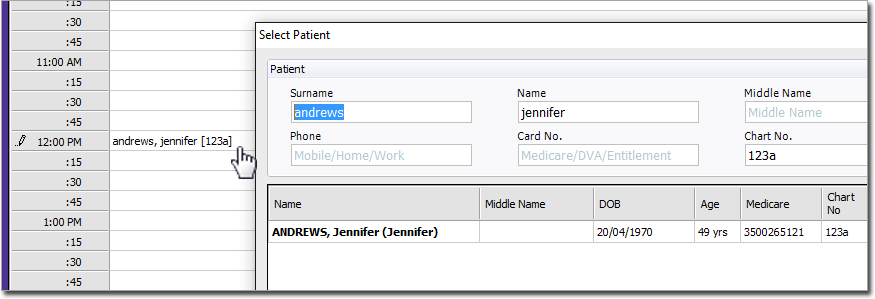
Enter the patient's surname, comma, first name (or part of), or the first name and
surname without commas. Alternatively, you can also search for patients by using the
patient's Chart Number
field. To search for a chart number, use the format
[x] where x equals the chart number. For example, if you
enter Andrews, Jennifer [123a], this could be returned: