
Customised Service Item Text
Before you begin
Setup > Edit Ancillary Messages
You can add pre-defined, customised text to Service Items when recording visits, as explained below. Note that this window is also used for creating customised text for Account and Receipt footers.
Procedure
-
Select the Service Text tab.
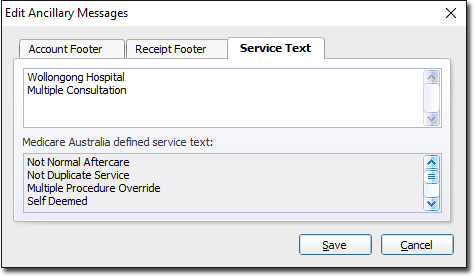
- The upper section of this window contains a text box in which you type your customised text items.
- The lower section of this window displays a list of pre-defined service text examples, approved by Medicare Australia.