Initialising a New SMS Registration
Before you begin
- Ensure you have an active Internet connection. If your organisation uses a proxy server to connect to the Internet and this requires authentication, have these details ready. Please contact your System Administrator if required. For more information about configuring your proxy, see Configuring your proxy to send scheduled SMS messages.
- To top-up your SMS credits, please follow the instructions on the MessageNet website.
- MedicalDirector Pracsoft uses a third-party SMS service to send SMS messages. In order to use this SMS functionality from within Pracsoft, it is a requirement that you register your use of the service.
- If you are also a MedicalDirector Clinical user, and have already registered for SMS messaging via Clinical, you do not need to register again via MedicalDirector Pracsoft.
Procedure
The Registration Process:
-
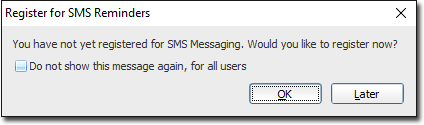
Upon opening Pracsoft you will be prompted to register for SMS reminders.
Regardless of whether you had registered for SMS reminders in a previous version of
Pracsoft, you must
re-register to make use of the new service.
You can also register available via . -
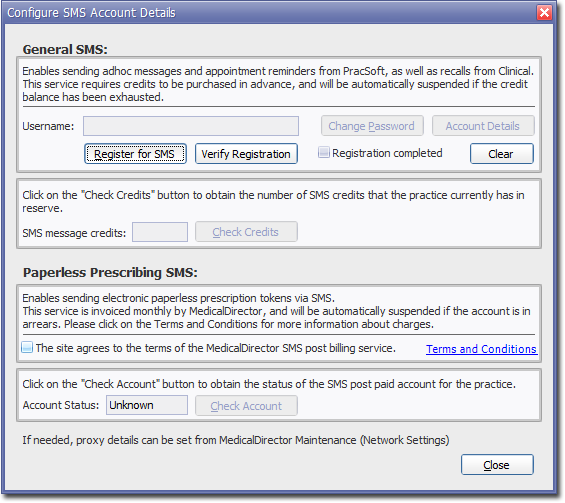
Click OK. The Configure SMS Account Details window
appears.
-
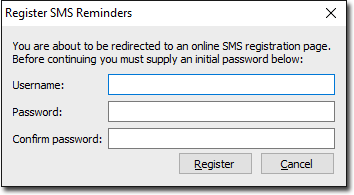
-
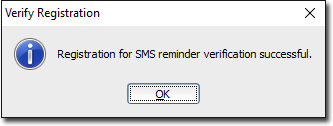
Upon a successful verification you will be prompted accordingly.