
Adding Practitioners and Users
Before you begin
Clinical users:
To create a new
Practitioner or Nurse Practitioner record, typically you must create the
practitioner record in Pracsoft first, ensuring you give the new Practitioner record
a User ID. When you then log
into Clinical, the practitioner record will be available. However, add Allied Health
users to Clinical first, as a user, not a
practitioner.
Procedure
-
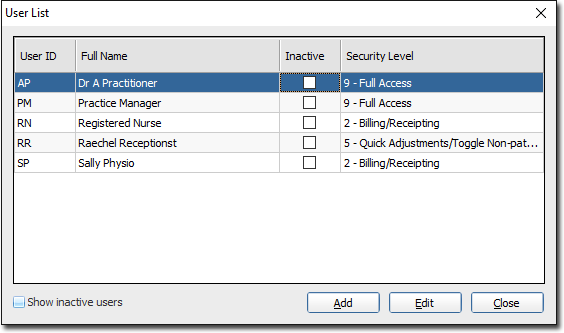
In the User List window, click
Add.
-
In the User Details window, in the User
ID field an Initital code of up to 4 characters.
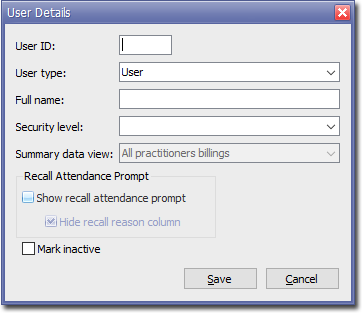
The User ID (usually the user's initials) is used throughout MedicalDirector Pracsoft to identify users and Practitioners. Each User ID must be unique.
The User ID cannot be changed for a given practitioner if transactions have been recorded on their behalf.
-
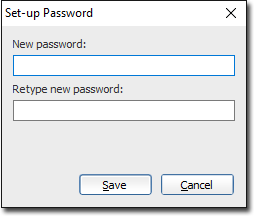
In the Set-up Password window, enter and confirm a password
for this user. Passwords must contain at least 6 characters.
Results
Note:
Until a practitioner has been activated and is visible in the
Registered Practitioners window, they cannot perform functions
in MedicalDirector Pracsoft.
What to do next
Note:
If you are using MedicalDirector Clinical, you will now need to edit this practitioner in Clinical to finalise the
setup, or have the Practitioner login with this new account, which will finalise set up.
For more information, see Adding, Editing and Deleting Practitioner and Nurse
Practitioners in the Clinical Knowledge Centre.