
Enabling Practitioners in the Appointment Book
Before you begin

Waiting Room > Appointment Book
Each Appointment Book can have a number of practitioners associated with it. Then, from within each Appointment Book you can select which practitioner's appointments to view at any given time. Before you can select which practitioners will be available to your appointment book, you must first add them to your appointment book.
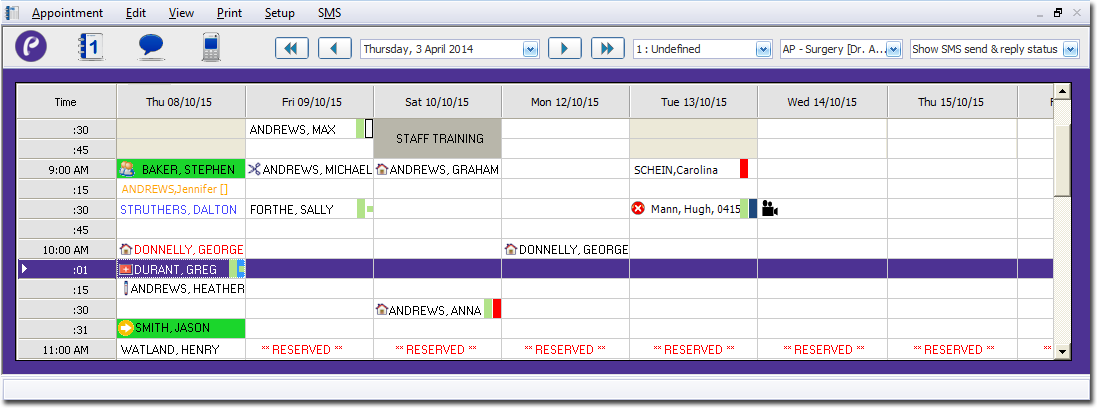
The example below indicates that appointment book 1 ('Undefined') is selected, and the appointment schedule for Dr. A. Practitioner is currently in view.
To define which practitioners are available to schedule appointments for, for a given appointment book:
Procedure
-
Open the Appointment module by either:
- Clicking
- Selecting .
- Clicking
-
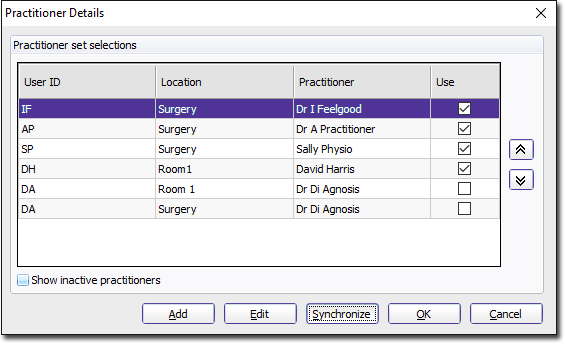
Select . The Practitioner Details window appears.
-
Click

to confirm your selections and close this window.